Role
Product Designer
Scope
AI features, UX, Interaction design
Type
B2B SaaS 500+ users
Context
Logic Builder is a no-code platform for designing chatbot flows without engineering support. Users connect nodes on a canvas to build conversational logic that routes customers, answers questions, and handles support requests.
Environments started holding hundreds of flows. Users struggled to start new flows from scratch, understand large existing ones, fix issues, and find the right flow among 100+ of them. At the same time, our LLM team was rapidly expanding what was technically possible inside the product.
These weren't new problems. What changed was that AI gave us a real way to solve them — not as one AI assistant, but as a set of tools designed to solve different user problems.
My job was to figure out where AI could actually help — and turn those opportunities into product solutions.
Key achievements
Faster flow creation
For new and experienced ops
Easier flow understanding
Large flows made readable in seconds
Faster error resolution
Issues fixed in context, not just flagged
Natural language search
For environments with
1000+ flows.
WHERE USERS GOT STUCK
We already knew where users struggled — from operations team feedback, walkthroughs, and day-to-day work with customers. To map it properly, we looked at four scenarios: new users building from scratch, new users updating flows, experienced ops working at scale, experienced ops maintaining other people’s work.
Each one had its own friction, but the same problems kept showing up.

Customer journey maps across four user-task combinations.
Learnings
The same four friction points kept showing up across all scenarios.
1
Creating flows took a lot of manual work
Every node configured by hand. Slow for new users, repetitive for experienced ones.
2
Understanding existing flows took time
A 100-node flow was readable, but tracing through it took real time — even if you’d built it yourself.
3
Fixing issues slowed people down
Users knew how to fix things, but doing it one by one added up. Smaller issues like typos were easy to miss.
4
Finding the right flow wasn’t always easy
Users often scrolled through long lists trying to find what they needed.
How we decided where AI could help
Once we understood the main friction points, we brought together design, engineering, and the LLM team to explore where AI could help.
We didn't want to add AI just because it's AI. We already knew the problems. The question was whether new AI capabilities could help solve them in a simpler or faster way.
We reviewed the biggest pain points — manual flow creation, hard-to-read existing flows, slow error fixing, and difficult discovery — generated ideas, discussed technical limitations, and prioritized the concepts that felt both valuable for users and realistic to build.
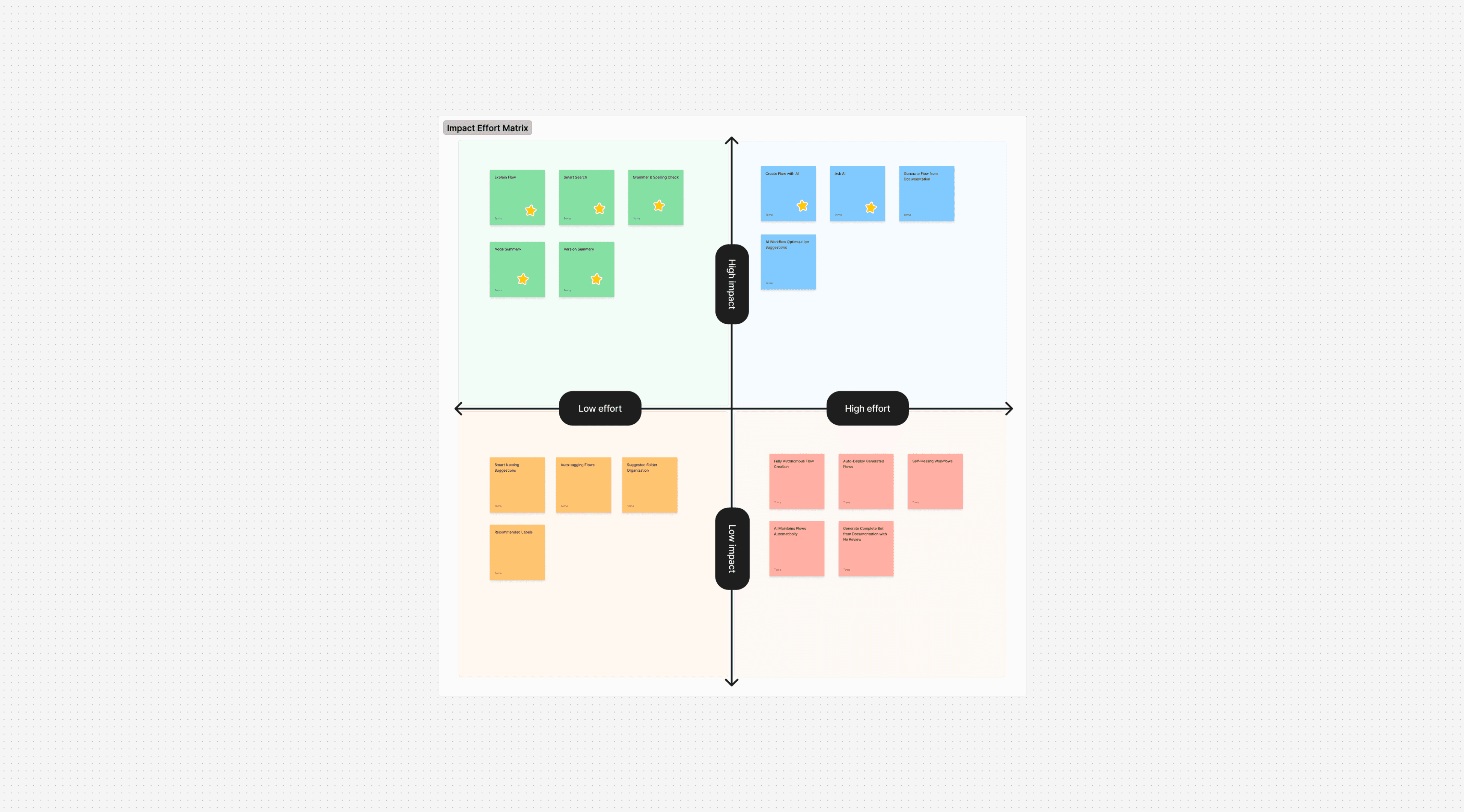
Impact vs Effort matrix mapping the AI ideas we considered. Stars mark the ones we moved forward with.
The matrix helped us see which ideas had the best mix of user value, technical feasibility, and long-term product impact. That gave us four opportunities to focus on.
What we built
Each decision addresses a different version of the same problem — the fear of starting in a complex product.
1
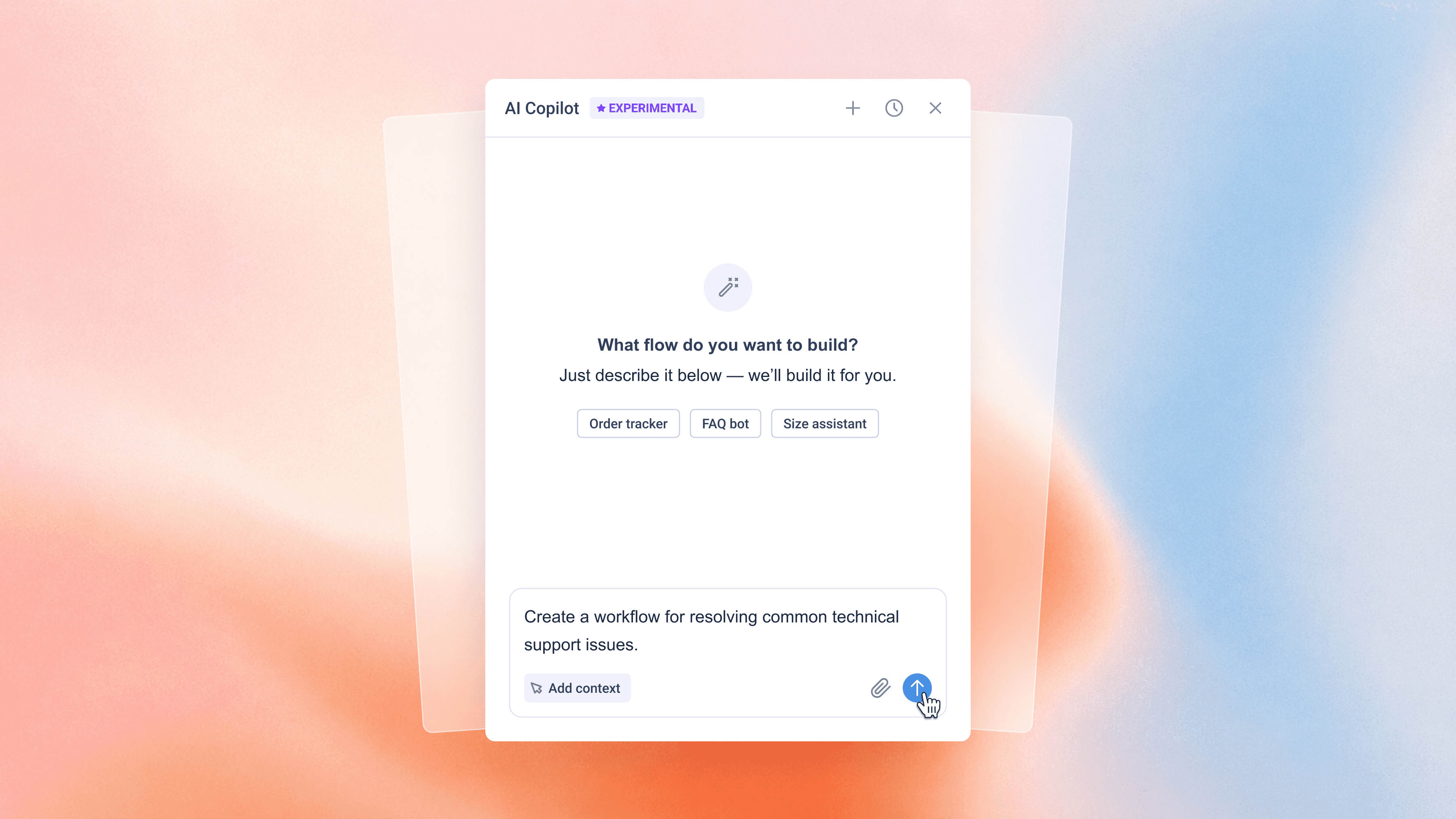
Create Flow with AI
Generate workflow drafts from a simple prompt.
2
Explain the Flow
Turn complex workflows into easy-to-follow steps.
3
Fix Errors with AI
Spot problems and guide users through resolving them.
4
Smart Search
Find workflows by intent, not exact keywords.
1
Create Flow with AI
Starting a new flow from scratch was the hardest moment. New users faced an empty canvas and dozens of nodes without knowing where to begin. Experienced ops rebuilt similar flows over and over. The question wasn't whether AI should help — it was how much of the process it should handle.
Two approaches
Step-by-step — AI guides users through questions, building the flow one decision at a time.
Step-by-step: AI asks one question at a time, building the flow piece by piece.
All-at-once — users describe their goal in plain language, AI generates a complete first draft.
All-at-once: users describe the goal once, review what AI is about to build, then generate.
The trade-off
Step-by-step felt safer — users would learn the product as they built it. But it had two problems. The LLM team flagged it would be expensive to run at enterprise scale, where every clarifying question added cost. And users would outgrow it fast — new users learned the structure within weeks, after which step-by-step would feel slow and they'd start abandoning it halfway.
Step-by-step
More guidance for beginners
Greater sense of control
Helps users learn the builder
Slower experience
Higher token usage
All-at-once
Faster workflow creation
Better for repeat usage
Lower cost at scale
Less guidance for new users
More dependent on prompt quality
Choosing a direction
We could have built both, but that meant two AI flows and two cost structures.
And the operations team spent far more time maintaining flows than creating them. Optimizing for a user's first hour would make the next months less efficient.
We chose all-at-once as the primary experience and closed the new-user gap with Explain Flow — a cheaper, lighter way to understand AI-generated flows.
What ops told us
In testing, the operations team consistently said the same thing: they wanted to see the full flow first, then edit. Step-by-step felt slower than doing it themselves. All-at-once gave them something to shape.
2
Explain Flow
Understanding a flow often meant tracing through dozens of nodes — not just for new users, but for ops regularly working with flows they hadn’t built or hadn’t touched in months.
We broke flows into key steps as a series of step cards, where each card explained a part of the flow and highlighted the matching nodes on the canvas. Users could also ask follow-up questions about any step, turning the summary into a starting point for deeper exploration.
Copilot summarizes the flow, breaks it into key steps, and highlights the matching nodes on the canvas.
What started as a way to explain AI-generated flows became a faster way to understand any flow — and closed the cost gap left by skipping step-by-step generation.
3
Fix Errors with AI
The builder already detected errors. The challenge wasn’t finding them — it was understanding what needed to be fixed and where to start. The existing Alerts panel listed problems but didn’t help resolve them.

The Alerts panel showed which errors and warnings existed in the flow.
Instead of isolated alerts, we used AI to explain issues in context and walk users through fixes one by one.
Copilot explained each issue and walked users through the fix.
Depth of interaction matched depth of the problem:
1
Typos and grammar — fix or skip with a single click.
2
Configuration issues — Copilot explains the problem and offers concrete options.
3
Structural problems — Copilot explains the issue and offers choices to pick from.
Simple fixes stayed simple. Complex ones came with enough context to make a confident decision.
4
Smart Search
As environments grew, ops often remembered what a flow did, not what it was called. In environments with 100+ flows, keyword search wasn't enough.
We used AI to handle that. Users could search the way they think and get results that matched the intent, not just the name. They could type "show me flows with errors" and find the right flows without knowing exact names.
Not every search needed AI. For direct lookups, keyword search was still faster, so users could choose when to use semantic search.
In testing, Smart Search quickly became a favorite among the ops team. Many users kept it enabled and used it throughout their day.
Users could search by what a flow did, not what it was called.
REFLECTION
At the start, we generated far more AI ideas than we could realistically build.
What I learned is that AI isn’t valuable just because it’s AI. Every idea had to solve a real user problem and make sense from a business perspective.
The hardest part wasn’t designing AI features. It was deciding which ideas were actually worth building.
Collaboration: Operations team (weekly syncs, regular testing, qualitative feedback). LLM team (technical capabilities, cost considerations, model behavior). Engineering (implementation, feature scoping, cross-team workshops). Design decisions: mine, in coordination with the design team.
 CV
CV